



How I Built My Own Home Assistant Control Panel on the SONOFF NSPanel Pro
A smart home is only smart if it is actually easy to use.
That sounds obvious, but many smart homes slowly turn into a digital treasure hunt: one app for lights, another for sensors, a third for heating, and somewhere in the middle of it all… the moment you just want to turn things on when you get home and switch everything off when you leave.
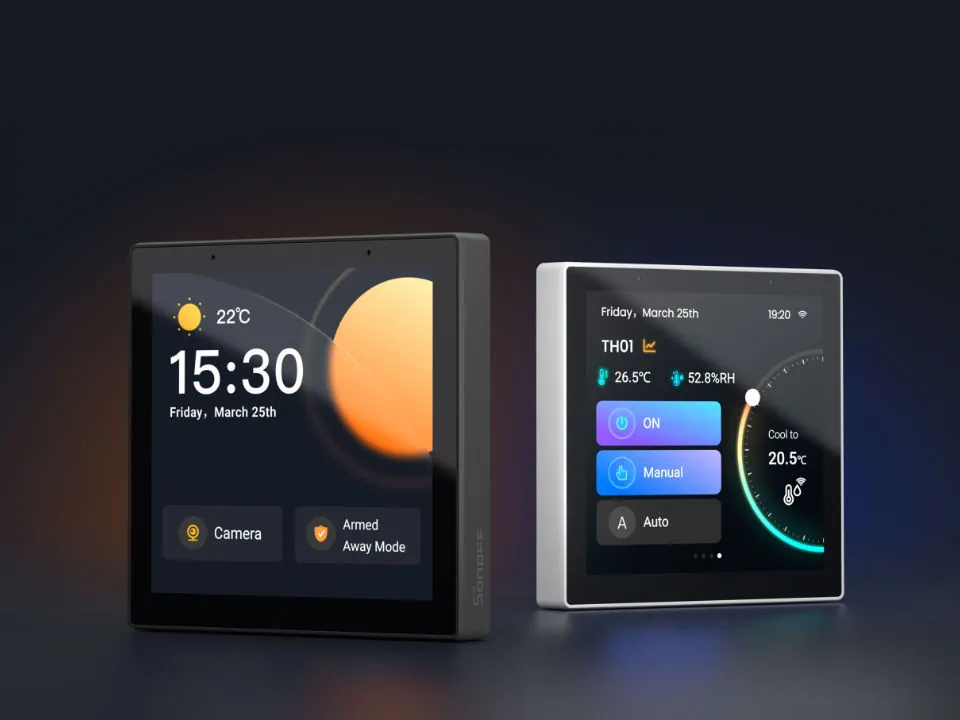
That was exactly the reason I decided to build my own custom Home Assistant control panel and run it on a SONOFF NSPanel Pro, now updated to version 4.3.
Today, it is mounted at eye height next to my main entrance, and it has become one of the most useful parts of my home. When I walk in, I can instantly switch on what I need. When I leave, I can shut things down, check the house status, and avoid that classic smart-home question:
“Did I leave something on… or is the house just showing off again?”
Why I Built It
I did not want a control panel that looked impressive but was awkward to use.
I wanted one that worked with real life.
Placed next to the entrance, the panel had a very clear job:
make the first 10 seconds after arriving home — and the last 10 seconds before leaving — as smooth as possible.
That meant I needed:
-
quick access to the most-used devices
-
a clean, readable layout
-
minimal tapping
-
a design that works both day and night
-
and, most importantly, something the whole household could understand
Because that is the truth about smart homes:
If only the person who built it can use it, it is not smart. It is a hobby with Wi-Fi.
Why the SONOFF NSPanel Pro Was a Great Fit
The SONOFF NSPanel Pro is a very interesting device because it sits in a sweet spot between wall switch, smart display, and compact control hub.
For projects like this, that makes it especially attractive.
Instead of relying only on phones or tablets lying around the house, the NSPanel Pro gives you a fixed, always-available control point exactly where you need it. Mounted by the entrance, it becomes part of the home itself rather than “just another gadget”.
And that is where it starts to shine.
It is visible.
It is always ready.
It does not need charging.
And it feels natural to use.
For me, that matters a lot more than fancy animations or endless menus.
The Goal: Less Dashboard, More Daily Use
When building a Home Assistant panel, the temptation is always the same:
add more buttons, more sensors, more rooms, more status, more everything.
I went in the opposite direction.
Instead of creating a “mission control” screen worthy of a small space programme, I focused on building something practical.
The dashboard needed to answer simple real-world moments like:
-
I just came home — what do I want to switch on?
-
I am leaving — what should be turned off?
-
Do I need a quick status overview?
-
Can I access the most important rooms without hunting through menus?
That decision changed everything.
Because a good dashboard is not the one that shows everything.
It is the one that shows the right things at the right time.
How I Built It
The real magic, of course, came from Home Assistant.
That is where customization becomes powerful. Instead of accepting a generic interface, I could build the panel around my own routines, devices, and layout.
My process was roughly this:
1. I started with behaviour, not design
Before placing a single card or button, I thought about how I actually move through the home.
Where would the panel be used?
What actions would matter most there?
What should be one tap away?
That led naturally to the entrance-focused idea: lighting, key devices, selected room controls, and quick home status.
2. I kept the front screen simple
The home screen had to be clear at a glance.
No clutter.
No tiny text.
No information overload.
That meant prioritising the controls I use most often and pushing less important items into secondary views.
3. I designed it for quick tapping
A wall panel is not the same as a desktop screen.
You use it standing up, often in motion, sometimes with one hand free and a bag, keys, or shopping in the other. So spacing, button size, and logical grouping all matter more than many people realise.
4. I made it tablet-friendly and visually balanced
Because the NSPanel Pro is always on display, the interface has to feel calm and intentional.
Not too crowded.
Not too bright.
Not too “developer laboratory”.
A smart home should feel like part of the home — not like you installed an airport departure board next to your front door.
5. I created day and night usability
One of the details I care a lot about is how a dashboard feels in the evening.
Bright white panels may look fine during setup, but at night they can be less “smart living” and more “unexpected lighthouse experience”. So I worked on making the panel comfortable to use at different times of the day.
Why Home Assistant Makes This So Good
This is exactly why I like Home Assistant so much.
It gives you the freedom to create something genuinely personal. You are not stuck with a one-size-fits-all interface. You can decide what matters, how it should look, and how deeply you want to integrate your devices and routines.
And when you combine that flexibility with a dedicated wall device like the SONOFF NSPanel Pro, you get something much better than app-based control alone.
You get a physical smart-home touchpoint.
That makes a huge difference.
Phone control is useful, of course.
But wall-mounted control is immediate.
It is there before you unlock your phone.
It is there when guests visit.
It is there when you simply want the home to respond like a home.
What I Use It For Every Day
Now that the panel is running as an app on my NSPanel Pro 4.3, it has become one of the most natural parts of the house.
When I come home, I can:
-
switch on selected lights
-
check important states
-
access key room controls
-
quickly interact with the house without opening multiple apps
When I leave, I can:
-
turn things off
-
confirm the house is in the right state
-
make quick adjustments on the spot
It sounds simple — and that is exactly the point.
The best smart-home improvements are often not the flashy ones.
They are the ones that remove friction from everyday life.
Why I Like Promoting the SONOFF NSPanel Pro
There are plenty of smart-home devices on the market, but I genuinely like products that can bridge the gap between technology and practical daily use.
That is why I find the SONOFF NSPanel Pro so interesting.
Used well, it is not just a screen.
It becomes a proper interface between you and your home.
For installers, tinkerers, and Home Assistant users, it opens exciting possibilities.
For ordinary day-to-day living, it offers something even better:
simple access to the things that matter most.
And in smart-home design, that simplicity is often where the real sophistication lives.
Final Thoughts
Building this control panel was not just a technical project.
It was an exercise in making smart living feel more natural.
With Home Assistant handling the flexibility and the SONOFF NSPanel Pro serving as the fixed wall-mounted interface, I ended up with something that is both practical and enjoyable to use.
Mounted next to my entrance at eye height, it now does exactly what I wanted:
it gives me fast, reliable control exactly where I need it most.
No app-hopping.
No unnecessary complexity.
Just a smarter way to come home — and leave again.
And that, to me, is what a smart home should be.

